Temporary increase in data transfer - Data High Speed
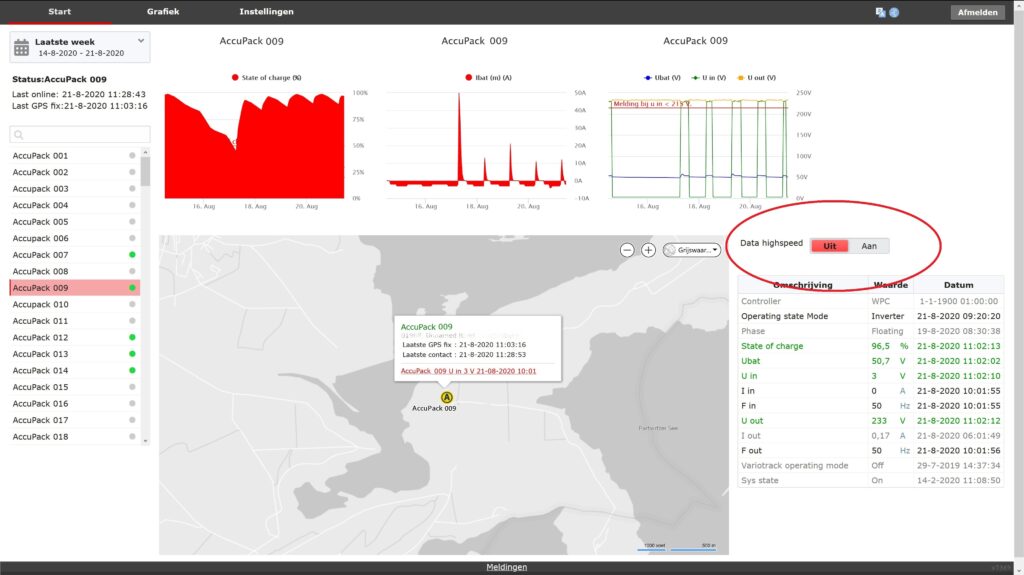
The remote monitoring system offers the option to temporarily increase the data transmission frequency. This allows, for example, a faster identification of the cause of a malfunction or enables analysis of abnormal behavior in a system.
The system provides a “Data High Speed” option for this purpose. When activated, data is transmitted at a high frequency for a pre-set period (for example, 30 minutes). After this period, the system automatically returns to its original settings. If necessary, this option can be activated again.
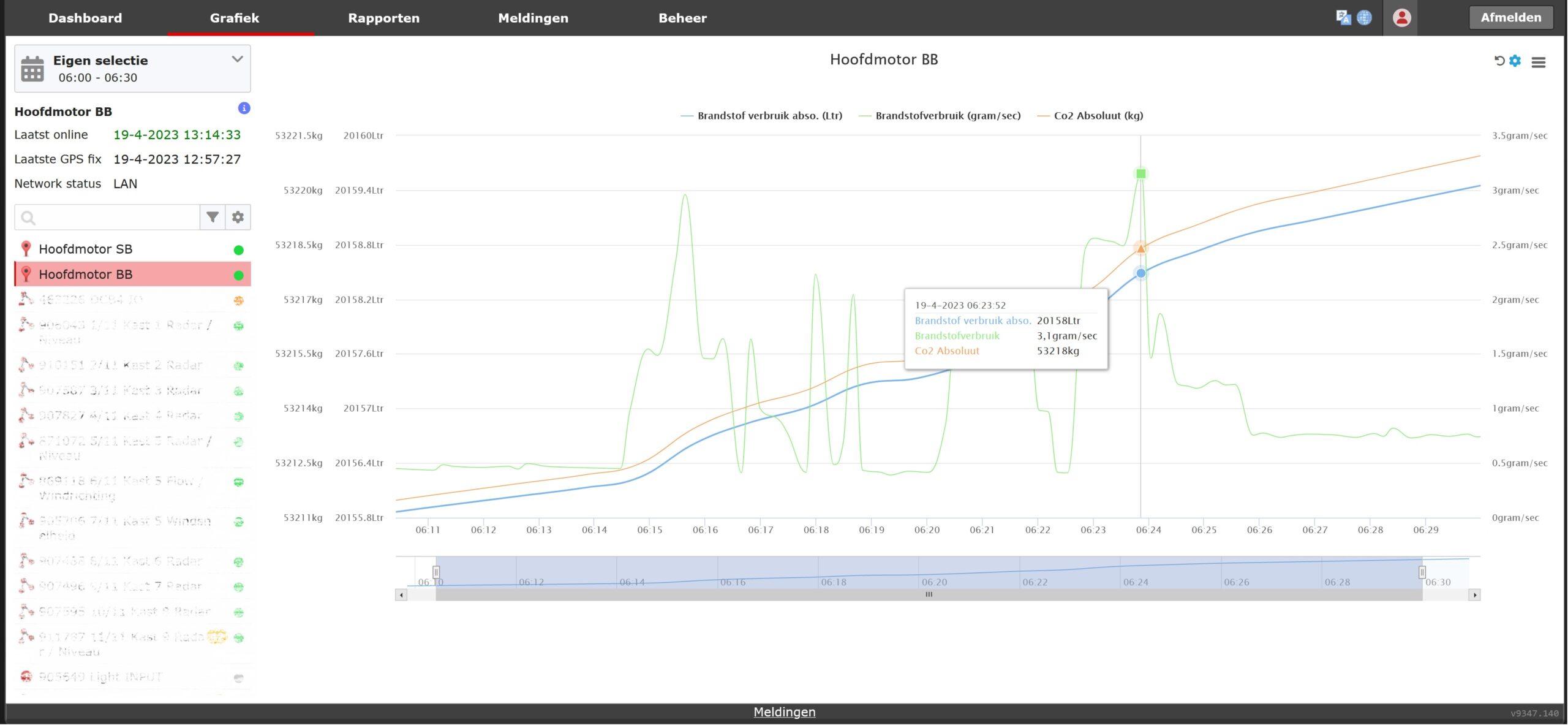
CO₂ consumption based on engine data
Based on the available engine information, CO₂ consumption can be calculated accurately. This provides insight into the environmental impact of both individual machines and an entire fleet of vehicles or equipment. By linking this data to fuel consumption and the specific emission factors of the engine, the actual CO₂ usage can be easily displayed.
In our system, CO₂ consumption can be presented in several ways:
- **Charts:** By visualizing the data, consumption over time per machine can be easily monitored. Charts highlight trends and help identify opportunities for fuel savings and emission reduction.
- **Reports in Excel or PDF:** For more in-depth analysis and archiving, CO₂ data can be exported to Excel files or PDF reports. This allows further processing and review of the information.
Clear alarm function
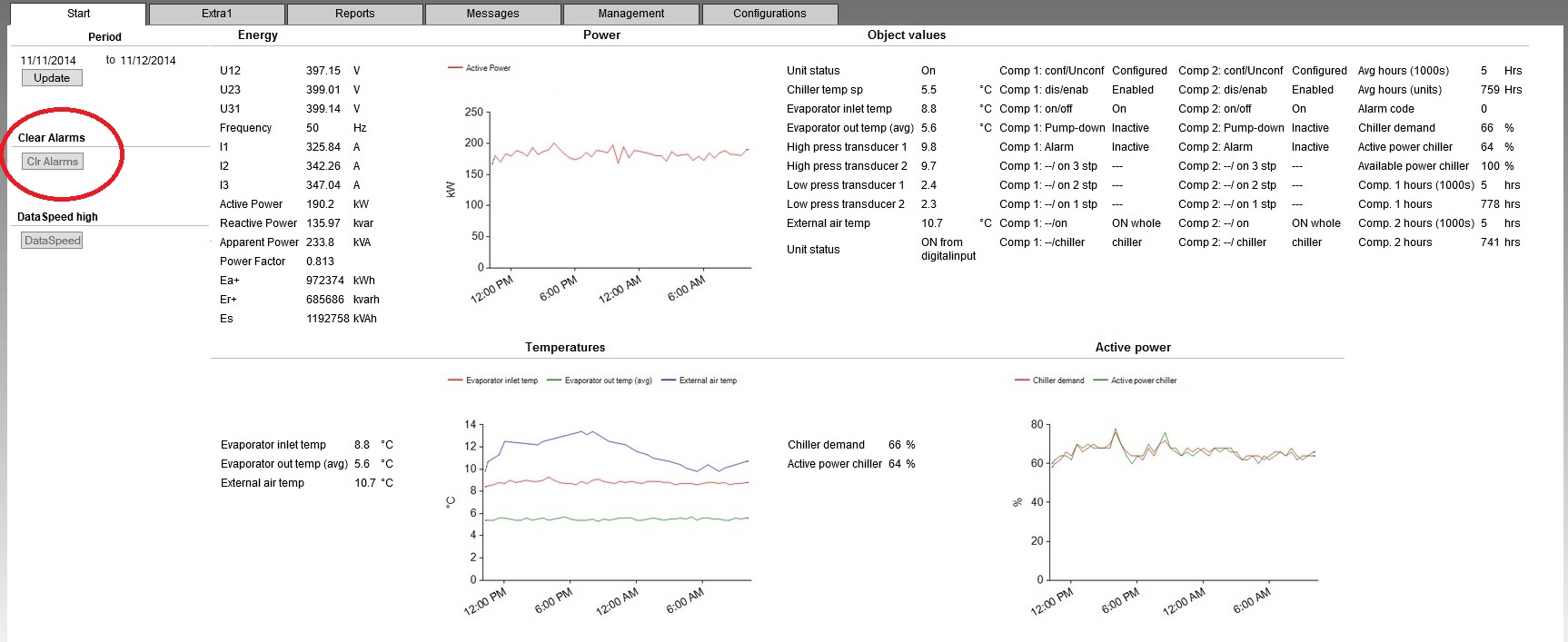
The remote monitoring system offers the ability to reset alarms, provided the controller permits it.
This function can be useful when the system is not operating optimally due to an alarm condition.
Time zones
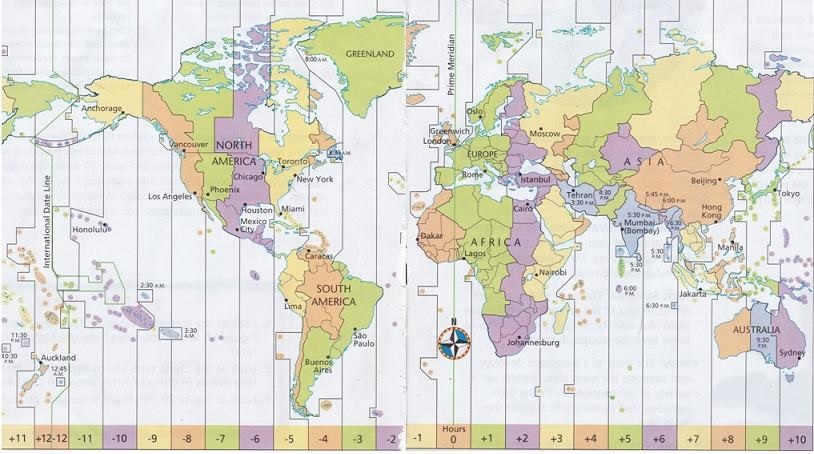
In the web application, a user can set their time zone. All dates and timestamps are automatically converted to the time zone selected by the user. By default, the time zone is set to UTC+01:00 (CET — Central European Time).
By setting the time zone, for example, a rental company in the Netherlands can track a customer’s activities in the UK in the customer’s local time. This prevents confusion about event timings and avoids misunderstandings in communication.
Dynamic filter
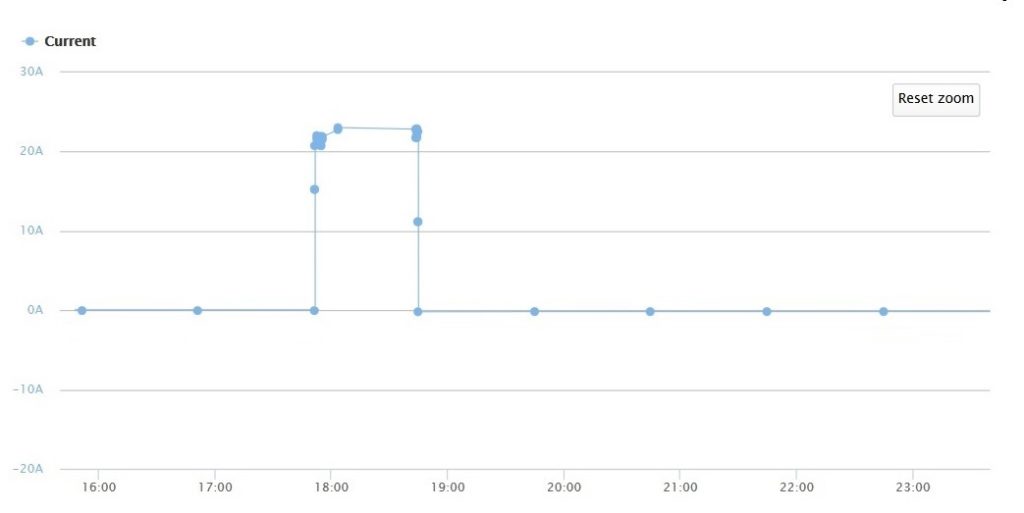
Through a combination of smart software and faster hardware, it is now possible to transmit data with high accuracy at minimal additional cost. With a (configurable) frequency of about 2 seconds, data is read. If there is no change in the value of a field or the change falls within a pre-set delta, no data is transmitted. You can set the delta yourself. If there is a change, the information is transmitted immediately. Additionally, the current value is transmitted once per hour as a standard.
API functionality
101 Solutions offers a web service that allows information to be exchanged with third parties using APIs. The format used for data transmission is typically XML or JSON.
In practice, this means that, using the web service, data can be automatically exported from the 101 Solutions system to another system, or imported from another system into the 101 Solutions remote monitoring system.
Private label / branding
The monitoring system can be offered as a private label. The system is customized so that the origin of the remote monitoring cannot be traced. The web application will adopt the “look and feel” of the customer.
The following customizations are implemented:
- The domain name is changed to the customer’s domain name. Currently, it is “customername”.101solutions.nl. This domain name is adjusted to something like remotemonitoring.”customername”.nl or m2m.”customername”.nl. The text before “customername” can be chosen by you.
- The login screen will feature a background selected by the customer (e.g., a photo of your products, your building, or your logo).
- The color scheme and font of the web portal will be adjusted to your company’s branding.
- Your company logo and business details will be placed on the web application.
- For activated alarms sent via SMS and/or email, the sender’s email address will be from your company (e.g., support@customername.nl instead of support@101solutions.nl).
Would you like to learn more about the possibilities of offering the remote monitoring system under your own name to your customers?
Data retention period
All information is retained. This makes it possible to use the remote monitoring system to show how a machine has been operating over time. This information is used to:
- Resolve faults
- Provide clarification regarding the use and warranty of an installation
- Perform data analysis to evaluate the efficiency of machines relative to each other
- Detect fault-prone components and identify over- or underloading
- Support AI applications
The progression of a data point can be displayed over time, for example in the form of a graph. Data is retained for 1 year, with longer retention available upon request. Additionally, it is possible to transfer all data to the customer’s own server.
Insight into recent historical data
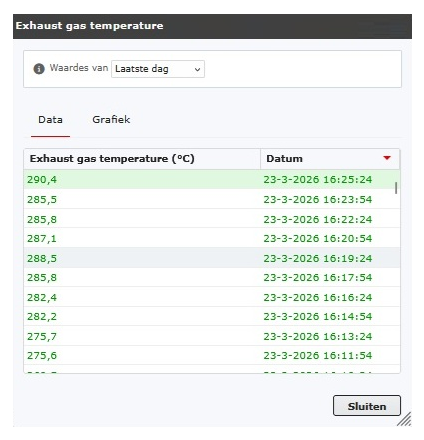
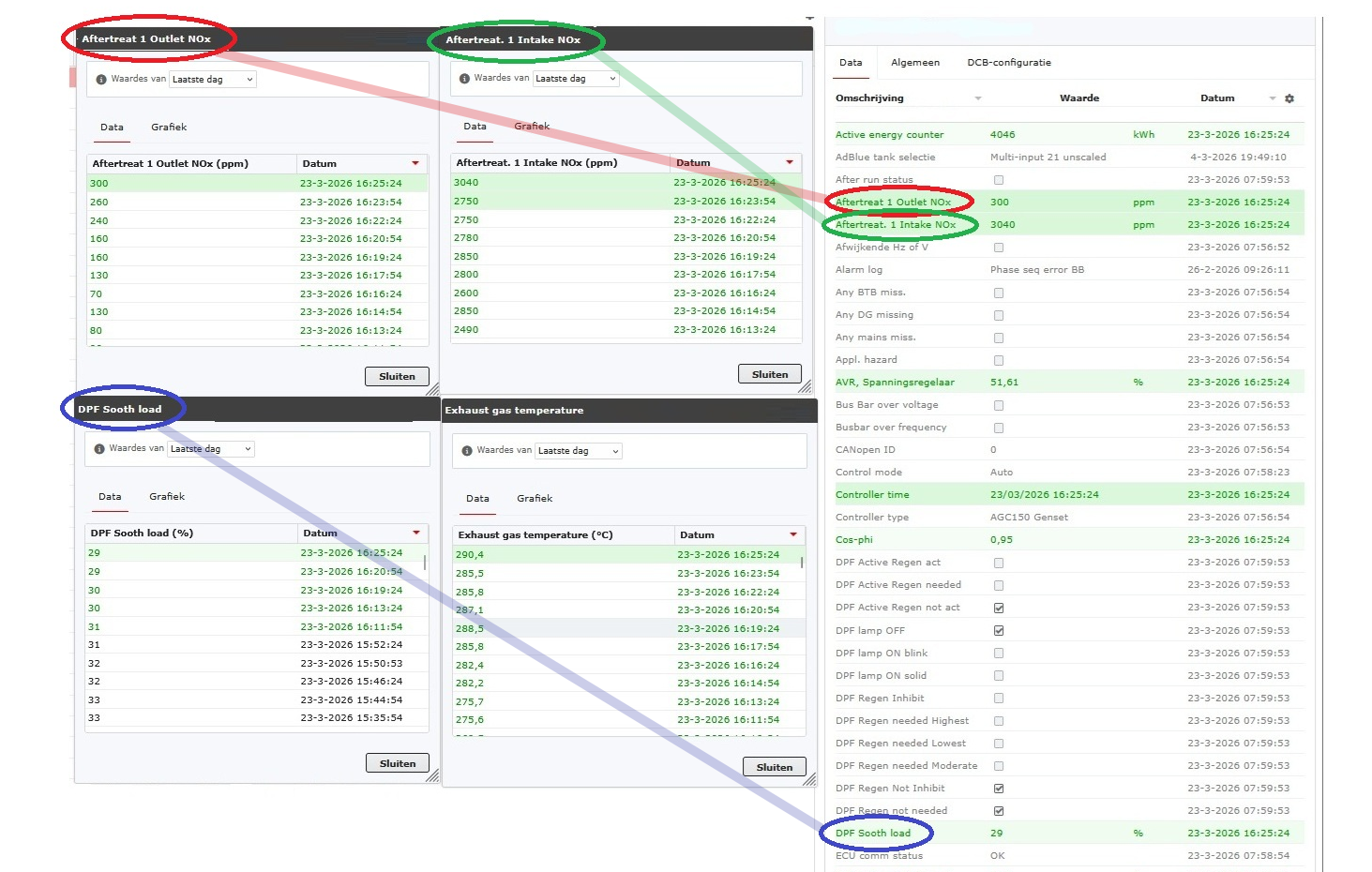
The system provides the ability to retrieve recent historical data for any desired variable. By selecting a variable in the left-hand column and clicking the corresponding value, a panel appears on the right-hand side displaying the most recently measured values. It is also possible to select multiple variables simultaneously, allowing their recent historical values to be displayed in parallel.
This functionality is available on all tabs of the web portal where variable values are displayed.
In this way, the recent historical values of multiple variables can easily be presented side by side, providing immediate insight into trends, changes, or disruptions.
2FA and digital security at 101 Solutions
2FA and digital security at 101 Solutions
Companies such as 101 Solutions use systems that allow machines and installations to be monitored and managed remotely. This is often done through online dashboards, enabling users to access important information anytime and from any location. Because of this, strong security is essential.
2FA (Two-Factor Authentication) provides an additional layer of security during login. In addition to a password, the user must complete a second step, such as a code from an app or SMS. This ensures that only authorized individuals can gain access, even if a password falls into the wrong hands.
For companies using solutions from 101 Solutions, 2FA offers several benefits:
- Improved protection of systems against hackers
- Better safeguarding of sensitive business information
- Reduced risk of disruptions caused by unauthorized access
- Greater control over who logs in and when
In sectors where machines and energy installations are critical, a security breach can have significant consequences. By using 2FA, these risks are substantially reduced.
In summary, 2FA is a simple addition, but a crucial step in keeping modern remotely managed systems secure and reliable.

Dark and light mode
As a user, you can choose between Dark mode and Light mode.
Dark mode – a display with a dark background (black/dark grey) and light text.
• Easier on the eyes in dark environments
• Gives a modern appearance
• Can be slightly harder to read in bright daylight
Light mode – a display with a light background (white/light grey) and dark text.
• Best readability in daylight
• More traditional and familiar appearance
• Often better for long reading sessions
• Can feel bright in dark environments
Where can you set it?
You can find this option on the My account page. On this page, you can also configure other personal preference settings, such as:
• Date format
• Language preference
• Time zone

Voice messages for notifications
With the new notification system, it is now possible to receive a voice message in addition to SMS, Telegram, and email.
With a voice message, you will receive a phone call. Once the call is answered, the notification is played as a spoken message.
This method of notification is particularly suitable for situations where an alert needs to attract attention quickly and clearly. It provides a direct and noticeable way to ensure that an important notification is not overlooked.

Personal settings
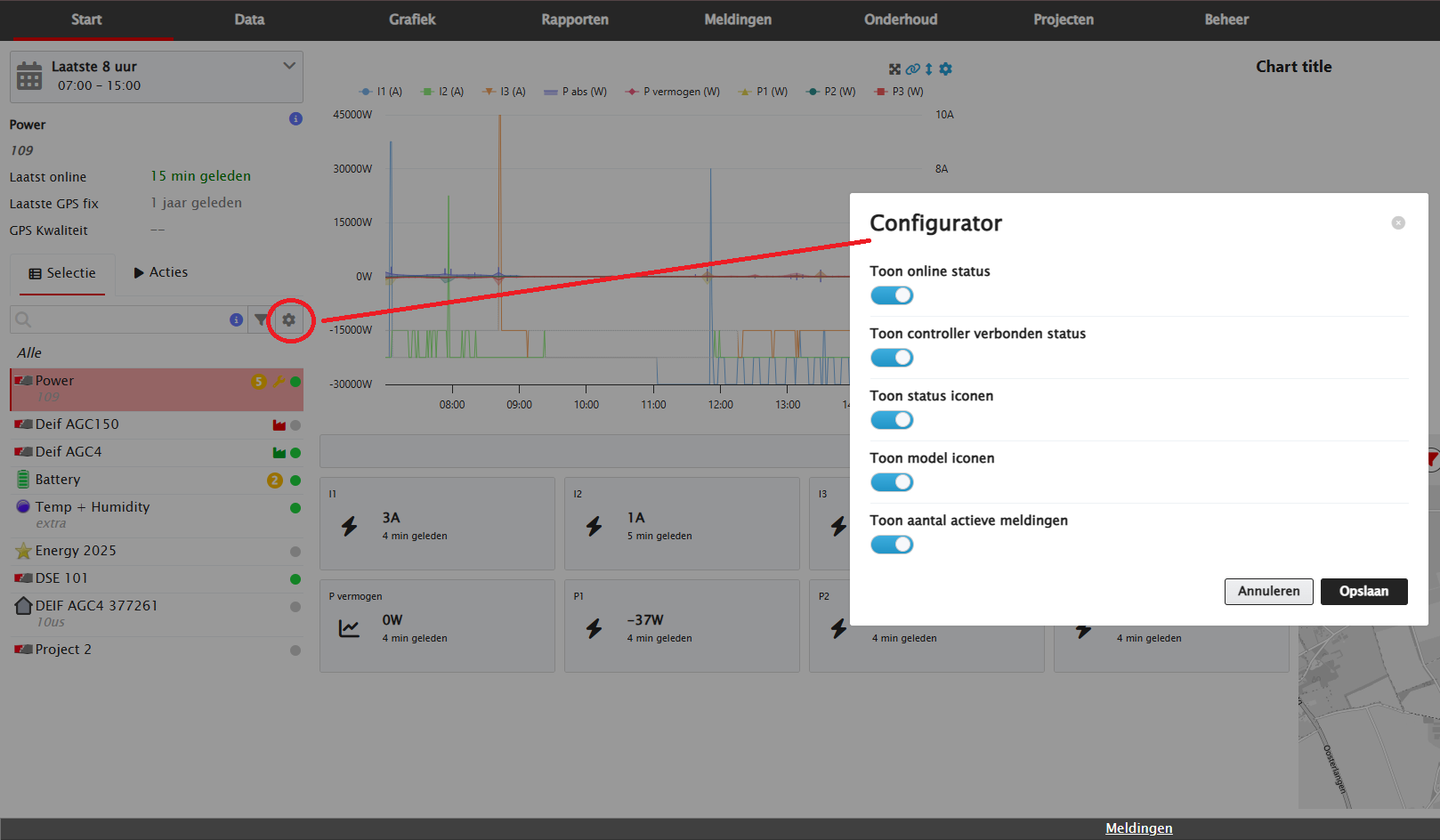
With this update, personal preferences can be configured for the display of objects. The settings available depend on the permissions assigned to the user.
Five settings are available:
- Show online status
Displays the connection with the controller. - Show status icon
Displays the new status icon. The status indicated by the icon can be configured and may differ per object. Moving the mouse over the icon shows which status is being displayed. - Show model
Displays the model icon. The model shown for an object can be configured via Manage > Models. - Show number of active notifications
Displays an orange circle with the number of active notifications next to the object. The relevant notifications can be found under Notifications. - Show controller connection status
Displays whether the DCB is connected to the connected controller.
When both statuses are enabled:
🟢 Green: DCB is online and connected to the controller.
🟠 Orange: DCB is online, but not connected to the controller.
⚪ Grey: DCB is offline and not connected to the controller.
When only Online status is enabled:
🟢 Green: DCB is online.
⚪ Grey: DCB is offline.
Default settings
All five options can be enabled or disabled by default for each user.
Rapid presentation of large volumes of data in a graph
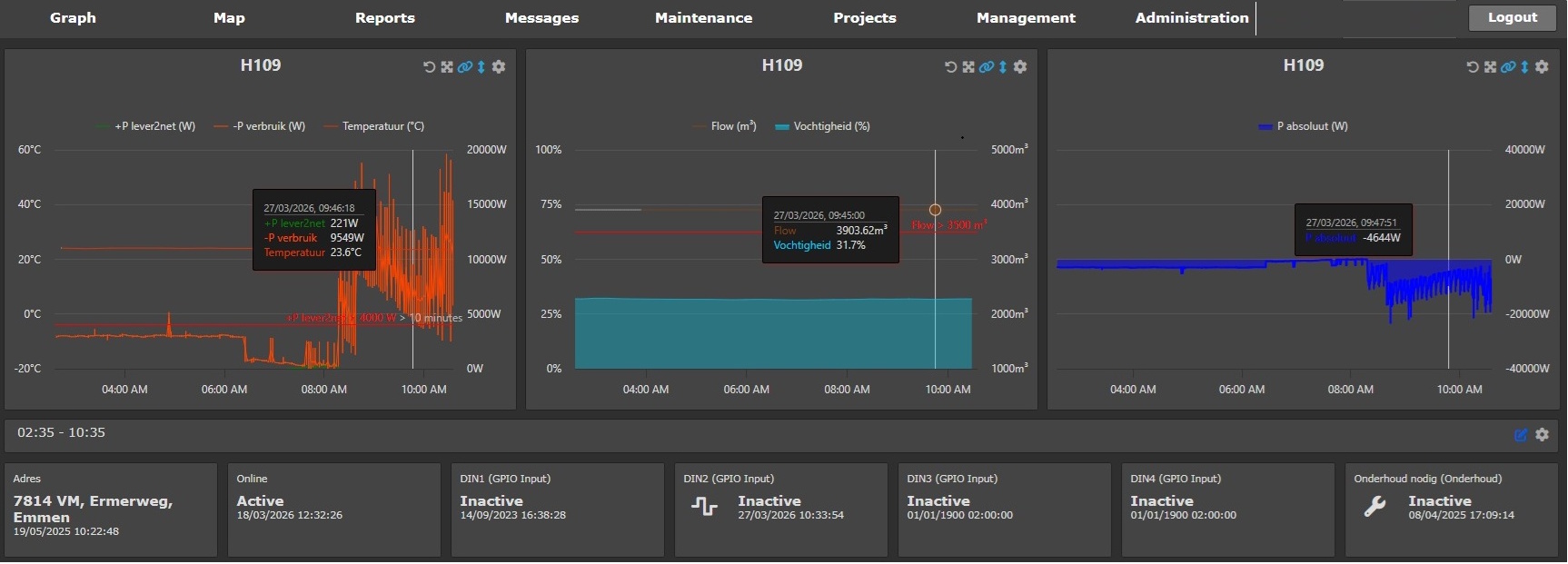
Our web portal uses an intelligent algorithm to load data into graphs. This makes it possible to quickly and clearly display large amounts of data points, even over longer periods. Outliers in the data series remain visible at all times.
This is achieved as follows:
- The number of data points is determined based on the selected period.
- The data points are grouped into time intervals.
- The average, minimum, and maximum values are then calculated for each time interval.
- The graph displays the corresponding average, minimum, and maximum values.
- When zooming further into the graph, the above steps are automatically repeated for the newly selected period.